
Duet Night Abyss Controller Support – Setup & Tips
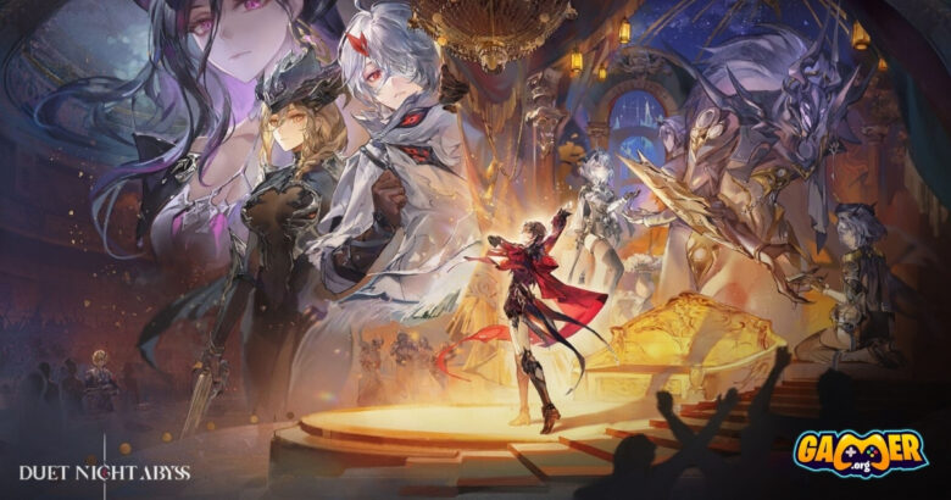
Duet Night Abyss offers native gamepad support for most modern PlayStation and Xbox controllers on PC and select mobile devices. The game automatically detects a connected controller and switches to gamepad controls, providing a plug-and-play experience whether you prefer a wired or wireless setup.
Wired Connection (Most Reliable)
A wired connection eliminates pairing issues and delivers the lowest input latency. Use a USB‑C cable for a DualSense or Xbox Series controller, and a micro‑USB cable for a PlayStation DualShock 4 (the DualShock 4 only supports wired connections). Simply plug the controller into your PC or supported mobile device, then launch Duet Night Abyss. The game will instantly recognize the controller. If it does not respond, unplug the cable and reconnect it after the game has fully launched—some devices enumerate controllers only after receiving the first input.
Wireless Pairing
Duet Night Abyss supports wireless connections for Xbox Series, Xbox Elite, DualSense, and DualSense Edge controllers, along with most other modern gamepads. To pair, enable Bluetooth on your device. Put the controller into pairing mode (usually by holding the pairing button). Select the controller from your device’s Bluetooth menu to complete the pairing. Then launch the game—it will automatically switch to gamepad controls. Ensure the controller battery is above 20% and not in a low‑power mode for stable Bluetooth performance.
Troubleshooting Tips
If the controller is not detected, disconnect and reconnect it after the game starts; this refresh often resolves detection issues. Verify that your specific device is compatible with controller input by checking the manufacturer’s specifications. Keeping the controller charged above 20% and avoiding low‑power mode on the host device also helps maintain a reliable connection. With these steps, you can enjoy Duet Night Abyss with your preferred gamepad on PC or supported mobile devices.
What is the Duet Night Abyss?
Duet Night Abyss Phoxene Plumule is a coveted celestial currency plucked from the Heaventrees, serving as the gateway to exclusive cosmetic ensembles, limited-time banners through Prismatic Hourglasses, and direct weapon acquisitions.
Beyond style, it fuels your roster’s growth by purchasing character Thought fragments and rare upgrade materials, swiftly boosting combat prowess without the standard grind.
For instant access, players frequently top up Duet Night Abyss Phoxene Plumule on trusted trading hubs like Lootbar, Eldorado.gg, and PlayerAuctions, guaranteeing a seamless transaction for this premium resource.
LootBar: The Best Platform for Duet Night Abyss Recharge
If you're looking to top up Duet Night Abyss Phoxene Plumule, you may want to consider the lootbar game trading platform.
LootBar provides a highly secure environment where you can buy Duet Night Abyss Phoxene Plumule with confidence, backed by bank‑level encryption and an advanced anti‑fraud system.
The platform supports a vast array of global payment methods, making it convenient for players everywhere to complete their purchase quickly and safely.
When you choose lootbar, you also unlock exclusive promotions, bonus rewards, and instant delivery of your Phoxene Plumule, letting you jump straight into the action.
Should you ever need assistance, a dedicated support team is available 24/7 to answer questions and resolve any issues, ensuring a seamless buy Duet Night Abyss Phoxene Plumule experience from start to finish.
How to top up Duet Night Abyss at LootBar?
To buy Duet Night Abyss Phoxene Plumule on the LootBar trading platform, start by heading to the official LootBar website and setting your language and currency preferences before logging in. Once inside, locate the top up Duet Night Abyss option under the Top-Up menu to begin the process of obtaining in-game resources.
Then, choose the quantity of Phoxene Plumule you need from the available packs and proceed by clicking ‘Top-up Now’. Complete the payment using your chosen method, and after paying, you’ll need to enter your login details like account method, username, and password to finalize delivery. Remember to keep in touch with customer support to handle any issues and confirm a successful top-up.
What is the best Gaming Top-Up Platform?
As a trusted choice for gaming top-up, LootBar offers both top speed and affordability. The platform has earned a reputation as the best platform for gaming recharge, supported by outstanding customer feedback—4.9/5.0 on Trustpilot.

 English
 Arabic
 French
 Spanish
 Deutsch
 Turkish
 Dutch
 Italiano
 Russian
 Romaian
 Portuguese (Brazil)
 Greek